GitHub Pages 开始支持通过 https 协议访问自定义域名
很久以来,GitHub 只支持通过 https://username.github.io 来安全访问 GitHub Pages,如果用户自定义了域名,则只能使用 Cloudflare 等提供的服务来实现安全访问。
因为嫌弃麻烦,我一直以来没有给站点 www.izhizheng.com 启用 https,所以访问地址就是 http://www.izhizheng.com/。
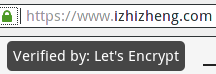
今天,无意间发现可以通过 https://www.izhizheng.com/ 来访问站点,并且浏览器地址栏中出现了小绿锁。经查看,发现使用的是 Let's Encrypt 提供的免费证书。
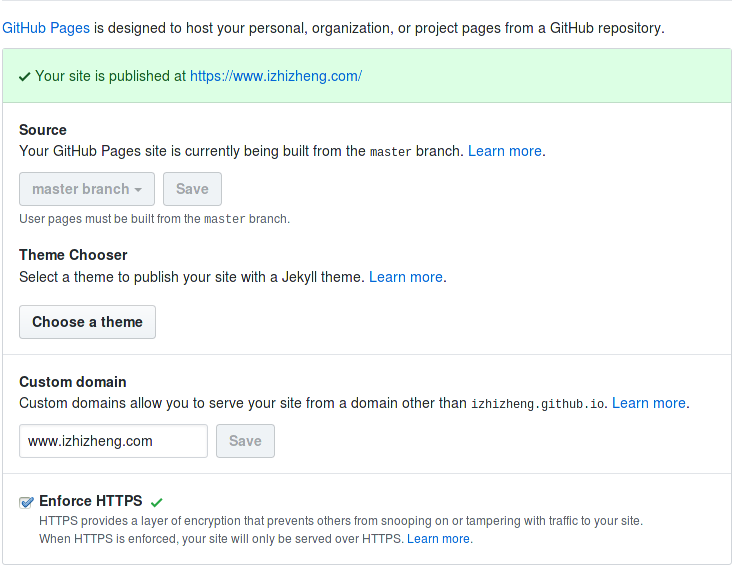
但是,默认情况下,访问 http://www.izhizheng.com/ 是不会自动跳转到 https://www.izhizheng.com/ 的,此时可以通过以下方法强制跳转(以前,使用自定义域名的情况下,“Enforce HTTPS”是不可选的)
- On GitHub, navigate to the main page of the repository.
- Under your repository name, click Settings.
- Under "GitHub Pages", select Enforce HTTPS.
警告
到目前为止,还没有发现 GitHub 发布关于此事的正式公告,勾选“Enforce HTTPS”前请慎重考虑。

相关阅读
- https://help.github.com/articles/securing-your-github-pages-site-with-https/
- https://gist.github.com/coolaj86/e07d42f5961c68fc1fc8
- http://code.dblock.org/2018/03/07/enabling-ssl-on-github-pages.html
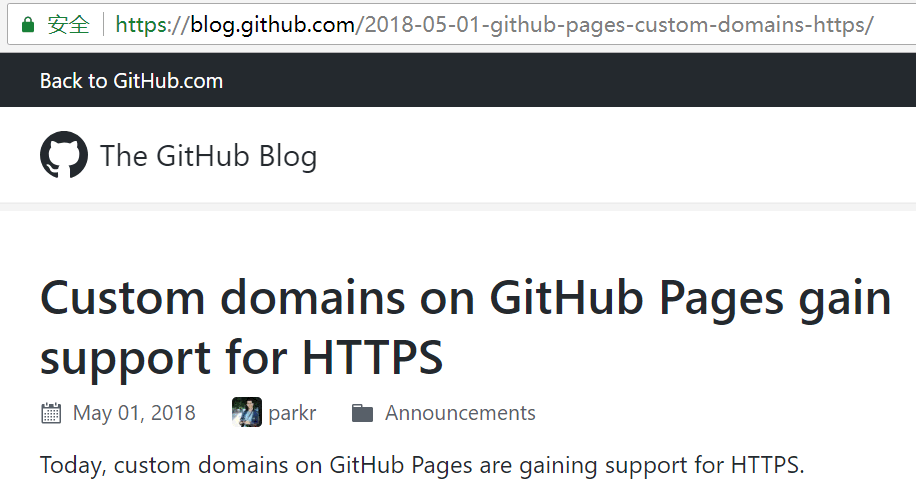
- https://blog.github.com/2018-05-01-github-pages-custom-domains-https/
本文由「管理员」创作,并被添加「GitHub Let's Encrypt GitHub Pages HTTPS」标签,最后更新于 2025-09-06 18:01:51,已有 2838 位童鞋阅读过。
本站所有文章除特别声明外,均采用「署名 4.0 国际」许可协议,可自由转载、引用,但需署名作者且注明文章出处!
此处评论已关闭